Early bird offerGet 20% off for your first 3 months. Use codeat checkout.
Everything in one place
The right email. The right channel. Every time.
One setup. Permanent routing. Connect support@, billing@, and sales@ and every email that arrives goes straight to its dedicated Slack channel — no rules to maintain, no forwarding to configure, no inbox to monitor. Just Slack threads your team already knows how to use.
Need to update payment method
Sending billing portal link now
Card expires end of month
Everything you need
Built for SMBs, solodevs, soloentrepreneurs fast setup, no per-seat fees, and all the features you need
Flat Rate Pricing
One price, unlimited team members. Add your entire support team without worrying about per-seat costs
File & Attachment Support
Customers can send files, screenshots, and documents through email or chat — your team receives everything directly in Slack, no inbox required.
Can't log in after password reset, keeps showing invalid credentials.
Need invoice for last month's payment, urgent for tax filing.
Account locked after multiple failed attempts, need immediate access.
Confused about team seat pricing for more than 5 members plan.
How do I switch to an annual plan and get the discount applied?
Ticket Status & AI Tags
Every inbound email is automatically tagged by topic, categorized by urgency.
Never miss a critical escalation.
SyncSupport sends the owner a daily report every morning — open tickets, response times, and escalation flags — so you always know what needs attention before customers feel the delay.
Proven impact
What changes the week you switch. — faster responses, fewer missed tickets, less time wasted.
Faster response time
Respond to customers in minutes, not hours
More tickets handled
Same team, triple the productivity
Reduction in support costs
Eliminate expensive helpdesk software
Ticket capture rate
Never miss a customer inquiry
Early bird offer — get 20% off for your first 3 months
Proven impact
Faster response time
Respond to customers in minutes, not hours
More tickets handled
Same team, triple the productivity
Reduction in support costs
Eliminate expensive helpdesk software
Ticket capture rate
Never miss a customer inquiry
Early bird offer — get 20% off for your first 3 months
Proven impact
Faster response time
Respond to customers in minutes, not hours
More tickets handled
Same team, triple the productivity
Reduction in support costs
Eliminate expensive helpdesk software
Ticket capture rate
Never miss a customer inquiry
Early bird offer — get 20% off for your first 3 months
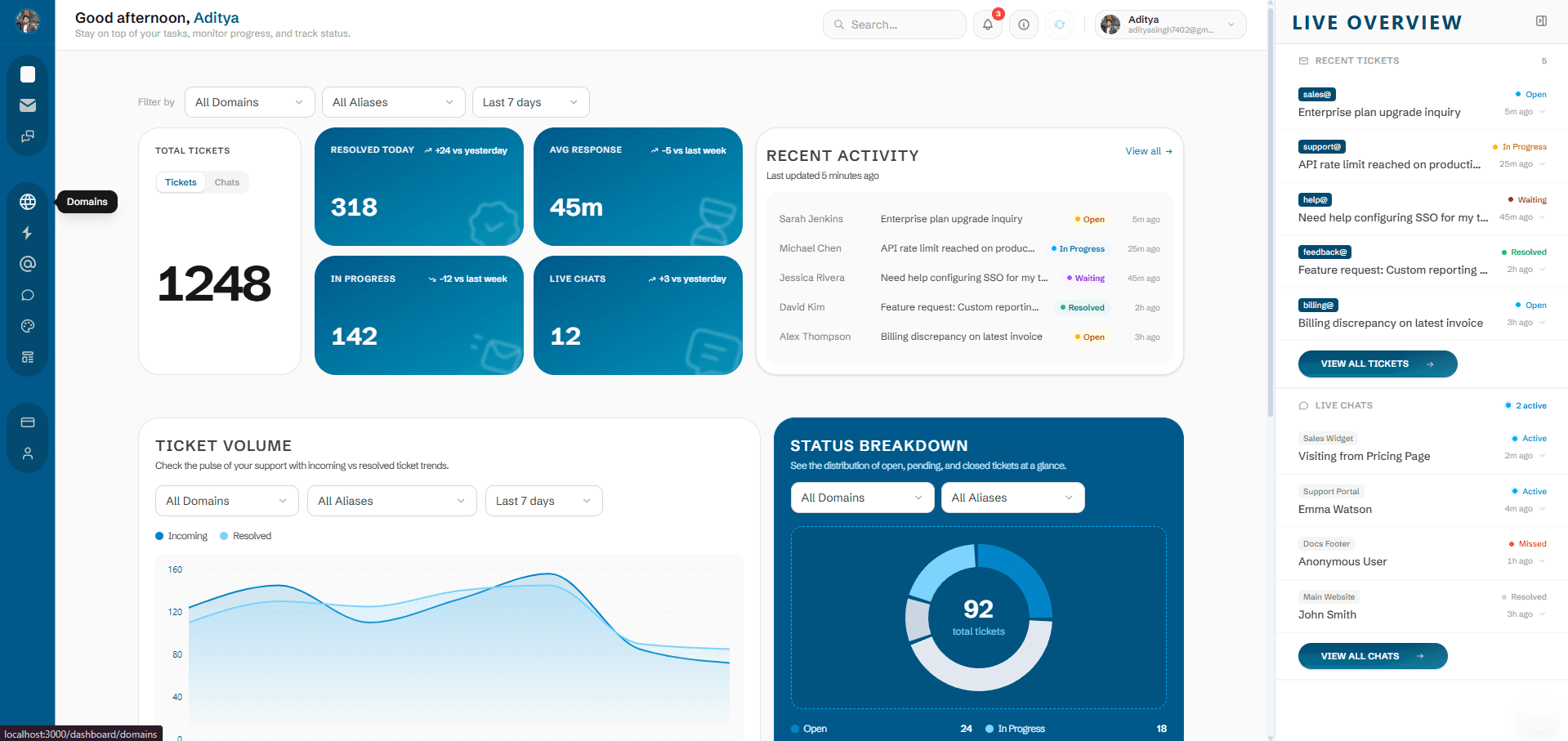
Full visibility
An Integrated Dashboard. — Ticket management, response times, and team performance at a glance.
How it works
Setup in minutes. No complex tools, routing rules, or training required
Add your domain
Enter your domain on the Domains page. You'll instantly get the MX records to add to your DNS provider — Cloudflare, GoDaddy, Namecheap, anywhere. Propagation usually takes 10–30 minutes.
Connect Slack & create channels
Authorize Slack via OAuth in one click. Then create dedicated channels for each support topic — #support, #billing, #sales — directly from your dashboard.
Map email aliases to channels
Create aliases for your domain and link each one to a Slack channel — support@yourdomain.com → #support, billing@yourdomain.com → #billing. Every inbound email lands in the right channel instantly.
Add the live chat widget
Copy the one-line snippet from your dashboard and paste it into your site's <head>. The widget goes live instantly — no npm, no build step. Your customers see it in seconds.